
QuickBooks is one of the most widely used accounting tools for small businesses and freelancers. If you’re new to accounting software, learning how to use QuickBooks can feel intimidating at first. This guide breaks it down step by step, so you can confidently manage your business finances.
What is Quickbooks?
QuickBooks is an accounting software designed to help small business owners and freelancers track income, expenses, invoices, and financial reports in one place. It is commonly used by people who want a simple way to stay organised without advanced accounting knowledge.
Most beginners use QuickBooks Online, which is cloud-based and accessible from any device.
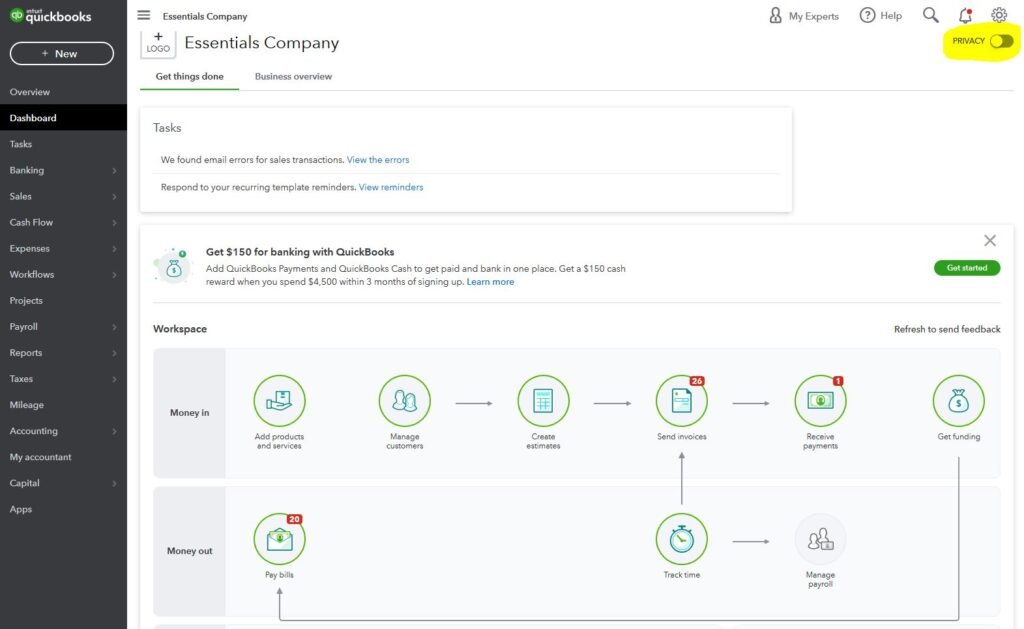
Step 1: Choose the Right QuickBooks Version
Before you start using QuickBooks, it’s important to choose the version that fits your needs.
- Simple Start – Best for freelancers and solo business owners
- Essentials – Suitable for small teams
- Plus – Ideal for growing businesses that need inventory tracking
For most freelancers and small businesses, QuickBooks Online provides enough features to get started.
Step 2: Set Up Your Company Profile
Once you create an account, QuickBooks will guide you through the initial setup.
You’ll be asked to:
- Enter your business name and industry
- Choose your accounting method (cash or accrual)
- Set your financial year
This information helps QuickBooks tailor reports and features to your business.
Step 3: Connect Bank Accounts and Credit Cards
Connecting your bank accounts allows QuickBooks to automatically import transactions.
After connecting:
- Income and expenses are pulled in automatically
- Transactions can be reviewed and categorised
- Manual data entry is reduced
This step is key to using QuickBooks efficiently on a day-to-day basis.
Step 4: Understand the Chart of Accounts
The chart of accounts is a list of categories used to organise your financial data.
QuickBooks creates default categories such as:
- Income
- Expenses
- Assets
- Liabilities
You can edit or add categories, but beginners should keep things simple to avoid confusion.
Step 5: How to Use QuickBooks to Track Income and Expenses
One of the main reasons people use QuickBooks is to track money coming in and going out.
To stay organised:
- Review and categorise transactions regularly
- Upload receipts using the mobile app
- Check expenses weekly or monthly
Accurate tracking helps you understand your cash flow and prepare for tax time.
Step 6: Create and Send Invoices
QuickBooks allows you to create professional invoices for clients.
You can:
- Customise invoice templates
- Send invoices by email
- Track paid and unpaid invoices
This makes it easier to manage payments and follow up on overdue invoices.
Step 7: Manage Taxes More Easily
QuickBooks helps simplify tax preparation by keeping financial records organised.
It allows you to:
- Track deductible business expenses
- Generate profit and loss reports
- Review income summaries
Freelancers and small business owners often find this helpful when working with a tax professional.
Step 8: Generate Financial Reports
QuickBooks can generate useful reports that show how your business is performing.
Common reports include:
- Profit and Loss Statement
- Cash Flow Statement
- Expense Reports
Reviewing these reports regularly can help you make better financial decisions.
Step 9: Automate and Optimise Over Time
As you become more comfortable using QuickBooks, you can explore automation features.
These include:
- Recurring transactions
- Rules for categorising expenses
- Integrations with payment platforms and apps
Automation reduces manual work and helps keep records consistent.
Tips for Beginners Using QuickBooks
- Reconcile accounts monthly
- Review transactions instead of ignoring them
- Avoid over-customising early on
- Seek professional advice if unsure about tax settings
Starting simple is often the best approach.
Final Thoughts
Learning how to use QuickBooks takes time, but once set up properly, it can make managing business finances far more manageable. With consistent use and regular reviews, QuickBooks can support better organization, clearer reporting, and improved financial awareness for small businesses and freelancers. For detailed information, visit the official QuickBooks website.
As your business grows and financial needs become more complex, you might explore advanced solutions like NetSuite that integrate budgeting, forecasting, and accounting into one platform.
Written by the SavvyTechPreneur Team — freelancers and small business owners sharing practical finance knowledge to support the business community.